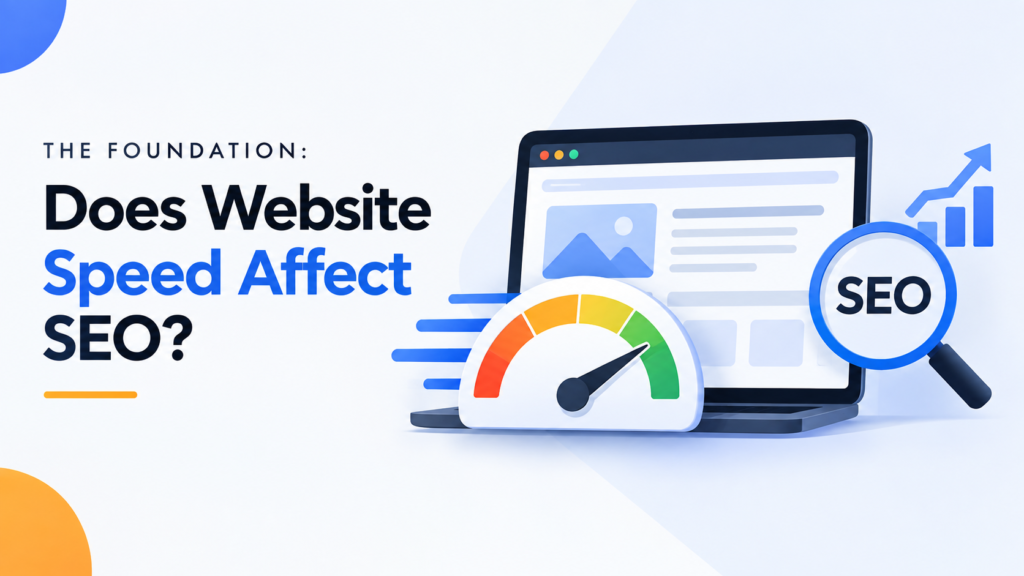
The short answer is a resounding yes. If you are asking yourself, “Does website speed affect SEO?” you only need to look at Google’s historical algorithm updates. Google officially made site speed a ranking factor for desktop searches back in 2010, and they rolled out the mobile speed update in 2018.
Since then, the connection between website speed and SEO has only grown stronger. Search engines exist to provide the best possible answers in the most frictionless way possible. If your site takes too long to load, Google assumes it offers a poor user experience.
Consequently, a fast website is no longer just a technical luxury; a proven website speed ranking factor is built directly into the core algorithms that determine your digital success.
The Real-World Connection: How Page Speed Affects SEO
To truly master page speed SEO, you need to understand the underlying mechanics of how search engines evaluate your site. It is not just about a stopwatch; it is about how speed impacts behavior and accessibility. Here is how page speed affects SEO behind the scenes.
User Experience and Bounce Rates
When it comes to page load time and SEO, user patience is practically nonexistent. Studies consistently show that as page load times go from one second to three seconds, the probability of a user bouncing (leaving your site immediately) increases by over 30%.
Search engines monitor these behavioral signals. If a user clicks your link in the search results and immediately hits the “back” button because the page won’t load, Google interprets this as a negative signal. Over time, high bounce rates caused by slow speeds will inevitably drag down your rankings.
Maximizing Your Crawl Budget
Crawl budget refers to the number of pages a search engine bot will crawl on your site within a specific timeframe. Search engine bots have limited resources and time to spend on your website.
If your server responds slowly, Googlebot can only crawl a fraction of your pages before leaving. This means your new blog posts, updated product pages, and critical content might take weeks to be indexed. A faster site allows bots to crawl more pages efficiently, directly boosting your overall SEO footprint.
Mobile-First Indexing
You cannot discuss performance today without prioritizing mobile page speed and SEO. Google uses mobile-first indexing, meaning it predominantly uses the mobile version of your content for indexing and ranking.
Mobile users are often on slower 4G or varying 5G cellular networks, making performance even more critical. If your desktop site is fast but your mobile site is bloated and slow, your rankings will suffer across the board.
Getting Technical: Core Web Vitals and SEO Rankings
In 2021, Google introduced the Page Experience update, which brought a highly specific set of metrics to the forefront: Core Web Vitals. Understanding the relationship between Core Web Vitals and SEO rankings is essential for any modern digital marketer.
These metrics shifted the focus from overall loading time to how users actually experience the loading process. Mastering Core Web Vitals SEO means optimizing for three specific pillars:
1. Largest Contentful Paint (LCP)
LCP measures perceived load speed by tracking how long it takes for the largest visual element (like a hero image or a main text block) to render on the screen. To provide a good user experience, your LCP should occur within 2.5 seconds of when the page first starts loading. Anything over 4.0 seconds is considered poor and requires immediate attention.
2. Interaction to Next Paint (INP)
In March 2024, INP officially replaced First Input Delay (FID) as the core metric for interactivity. INP measures your website’s overall responsiveness to user interactions, such as clicks, taps, and keyboard inputs, throughout the entire lifespan of the page. An excellent INP score is 200 milliseconds or less, ensuring the site feels instantly responsive to the user.
3. Cumulative Layout Shift (CLS)
CLS measures visual stability. Have you ever gone to click a button on a loading page, only for the layout to suddenly shift, causing you to click the wrong thing? That is a layout shift. To excel in this metric, your pages should maintain a CLS score of 0.1 or less, meaning elements stay exactly where they are supposed to as the page loads.
How to Improve Website Speed for SEO
Understanding the metrics is only half the battle; execution is where you win the rankings. To execute a site speed optimization campaign successfully, you need a mix of basic hygiene and advanced server-side improvements. Here is how to improve website speed for SEO.
Optimize Server Response Times
Before a browser can even begin rendering your page, it has to wait for your server to respond. This metric is known as Time to First Byte (TTFB).
If your TTFB is slow, every other metric (including LCP) will suffer. You can improve this by upgrading to a premium web host, upgrading your server hardware, or optimizing your backend database queries.
Leverage Caching and CDNs
Caching allows browsers to store copies of your site’s files locally, so return visitors don’t have to download everything from scratch. Server-side caching similarly reduces the strain on your database by serving pre-built HTML pages.
Additionally, implementing a Content Delivery Network (CDN) is a non-negotiable step for global website speed and SEO. A CDN stores copies of your website on servers worldwide, so a user in London downloads files from a UK server rather than waiting for data to travel from New York.
Image Optimization and Minification
Large, unoptimized images are the number one culprit of slow websites and poor LCP scores. Always compress your images and serve them in next-gen formats like WebP or AVIF, which offer superior quality at a fraction of the file size.
Furthermore, you should “minify” your CSS, JavaScript, and HTML files. Minification removes unnecessary characters, spaces, and comments from your code, reducing file sizes and allowing browsers to parse your site much faster.
Conclusion
Mastering website speed SEO is not a one-and-done project; it is an ongoing commitment to technical excellence and user experience. By understanding the foundational ranking factors and actively optimizing your Core Web Vitals, you create a frictionless environment that search engines love and users trust.
Don’t let a slow website hold your content back from the top of the search engine results pages (SERPs). Your next step: Run your primary landing pages through Google’s PageSpeed Insights tool today, identify your biggest bottlenecks, and start your site speed optimization journey immediately.
Frequently Asked Questions
How fast can website speed optimization improve SEO rankings?
SEO is rarely instantaneous, and speed optimization is no exception. Once you improve your site speed, search engine bots must recrawl and reindex your pages to register the technical changes.
While you might see minor ranking fluctuations within a few days to a couple of weeks, the most significant impact takes longer. Google’s Core Web Vitals rely on Chrome User Experience Report (CrUX) data, which aggregates real-world user metrics on a rolling 28-day cycle. Therefore, it typically takes at least a month to see the full ranking benefit of your speed optimizations.
How do website speed improvements affect organic search rankings?
Speed improvements act as a rising tide that lifts multiple SEO signals simultaneously. Faster load times directly improve technical crawlability, allowing Googlebot to index more of your site efficiently (maximizing your crawl budget).
On the user side, faster pages drastically reduce bounce rates and increase dwell time. When users stay on your site longer and interact with your content instead of clicking the “back” button, it sends strong, positive engagement signals to Google, which validates your page as a high-quality result and pushes your rankings higher.
What are the 3 C’s of SEO?
The 3 C’s of SEO represent the core pillars of a successful search strategy: Content, Code, and Credibility.
- Content: The words, images, and videos on your site. It must be high-quality, relevant, and perfectly aligned with user search intent.
- Code: The technical foundation of your website. This includes site speed, mobile responsiveness, clean HTML structure, and easily crawlable architecture.
- Credibility: The authority of your website, primarily built through high-quality backlinks from other reputable sites in your industry.
How to improve SEO in a website?
Improving SEO requires a holistic, ongoing approach rather than a one-time fix. Start by conducting thorough keyword research to understand what your target audience is searching for, then create comprehensive, intent-driven content to answer those queries.
Next, focus on the technical foundation: ensure your site is mobile-friendly, optimize your Core Web Vitals for speed, and fix any broken links or crawl errors. Finally, build your site’s authority by earning high-quality backlinks and promoting your content across relevant digital channels.
Which factors affect SEO rankings the most?
While Google’s algorithm utilizes hundreds of ranking signals, a few carry the most weight. High-quality, authoritative content that satisfies user intent is universally considered the most critical factor.
Following closely behind are a strong backlink profile (which proves your site’s credibility to search engines) and robust technical health. Technical health heavily relies on mobile-first optimization and passing Core Web Vitals, meaning a fast, secure, and responsive website is absolutely essential to competing for the top spots.
Is 75 a good SEO score?
If you are using third-party auditing tools (like Ahrefs, Semrush, or Google Lighthouse), a score of 75 out of 100 is generally considered “fair” or “average.” It indicates that your website has a decent technical foundation but still contains noticeable bottlenecks holding it back.
For low-competition keywords, a 75 might be enough to get by. However, if you are operating in a highly competitive niche, you should aim for a score of 85 to 90+. Use the audit report to identify your critical errors—like slow LCP times or missing meta tags—and knock those out first to push your score into the green.